
How HamroRentals works
A complete walkthrough of every journey on the platform — tenants, landlords and brokers — with flow diagrams for identity verification, Khalti payments, digital lease agreements, rent collection and the 300–900 rental credit score, followed by a detailed FAQ. The people pictured in this guide are imaginary and used only to illustrate the flows.
Meet the people in this guide
Three imaginary characters we follow through each flow.

A nurse moving to Lalitpur. She verifies her ID, uploads a bank statement and pay stub, scores 742, and applies to two flats.
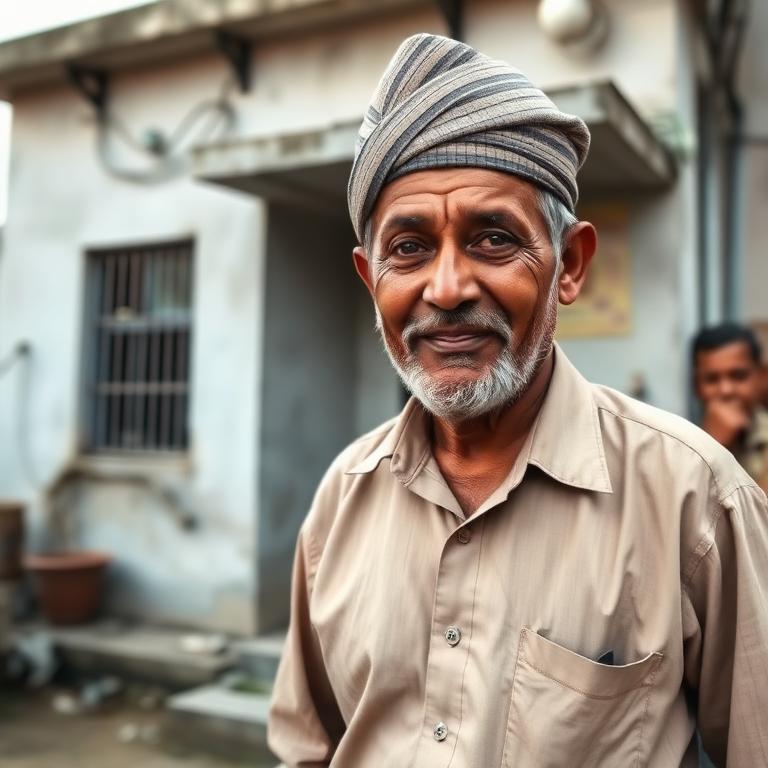
Owns a two-storey house in Kathmandu with a rental flat upstairs. He lists it with photos, a 90-second video and an exact map pin.

A verified agent managing eight owner properties. He uploads authorisation letters and earns commission on each signed lease.
Tenant flow
From sign-up to signed lease — Sunita's journey.
Email + 8-digit code, or Google / Apple sign-in.
Filter by city, rent, bedrooms, amenities and landlord score.
FreeScan a government ID, then a live face scan that must match the ID photo.
Income, employment, lifestyle, references, bank statement, pay stub, police clearance.
A 300–900 rental credit score is computed from verified evidence.
300–900One application per listing. Your score and verified badges travel with it.
Accept, request more info, or decline from the landlord dashboard.
Only charged after acceptance — unlocks contact details and viewing scheduling.
Schedule a viewing, then sign the digital lease and pay the success fee.
Nothing is charged until a landlord accepts your application. Only one application per listing is allowed.
Landlord flow
Publishing a property and choosing a tenant — Ram Bahadur's journey.
Government ID plus live face scan, same standard as tenants.
Photos, up to a 2-minute walkthrough video, exact map pin, amenities, storeys, ISP & TV.
The AI listing quality coach and the AI duplicate / fraud check must both run before you can submit. High-risk duplicates are blocked.
AI screens photos and video for nudity or unsafe content before publishing.
Listing publication is Rs 0. Optional Featured placement for 30 days: Rs 300 room, Rs 500 apartment/flat, Rs 1,000 house.
Rs 0After payment, admins review the ownership document against your verified ID and see the OCR name/ID match percentage before approving or rejecting. Every decision is written to the audit log with the admin's email.
Published automatically once ownership is verified. Featured listings sit at the top; non-featured listings are ordered behind them.
Residential and commercial applications appear together, with tenant scores, verified documents and unread-message alerts.
Generate the lease for that specific tenant and property, sign digitally, send to the tenant.
Monthly invoices and receipts through the portal, or collect directly with no fee.
Commercial listings (shutters, godowns, warehouses, offices, showrooms) follow the same flow through List Commercial Property.
Broker flow
Listing on behalf of owners, and how commission is approved — Nabin's journey.
Company details, citizenship number, permanent address, PAN/VAT and licence number, plus ID verification.
Admins verify, reject, reset or suspend broker accounts from the Brokers tab.
Before Khalti opens you review your identity and licence details and an itemised order summary (plan price + Khalti fee). Incomplete KYC blocks checkout.
The Khalti page shows the plan name, interval and a line-item breakdown, and a receipt is emailed.
Owner authorisation letter proving you may list the property on the owner's behalf.
Only verified brokers can publish. Listings stay tagged to your broker profile — you keep the broker dashboard, not a landlord one.
Applications and messages route through the broker as the listing contact.
Commission is recorded as pending: 2% of monthly rent, capped at Rs 500 per lease.
Admins approve payouts from the Commissions tab in the admin dashboard.
Only admin-verified brokers can publish listings, and every broker listing requires an owner authorisation letter.
Identity verification flow
The same standard applies to tenants, landlords and brokers.
Citizenship, licence, passport or national ID is photographed in-app.
Name, ID number and date of birth are read from the document.
A liveness capture proves a real person is present, not a photo.
AI vision compares the live face with the ID photo and returns a match percentage.
Low-confidence or mismatched documents are queued for admin review.
A face-match percentage is stored with the application so counterparties can see how strong the verification was.
Payments — the role of Khalti
Khalti is the payment gateway for every rupee that moves on the platform.
Featured placement, application fee, lease success fee, or optional monthly rent collection.
The payer is redirected to Khalti's hosted payment page.
Khalti wallet, mobile banking, connectIPS, or card.
HamroRentals re-verifies every transaction with Khalti before unlocking anything.
A Khalti webhook confirms the final state, so nothing depends on the browser.
PDF receipt is emailed, and the paid feature (contact details, featured slot, lease) unlocks.
Khalti transaction fees: 1.5% national, 3% international, added on top of every HamroRentals fee at checkout.
- Does: authorise and settle payments, provide the hosted checkout, and confirm transactions to us by webhook.
- Does: support wallet, mobile banking, connectIPS and card payments, including international cards for diaspora users.
- Does not: hold your rent indefinitely, decide applications, or see your documents and score.
- Does not: store card details on HamroRentals servers — payment data stays with the gateway.
Lease agreement flow
A pre-filled, digitally signed agreement stored as a PDF for both parties.
Only an accepted, fee-paid application can move to lease.
Parties, property address, rent, deposit and dates are pulled from verified records.
Edit terms, add house rules and break-penalty clauses, then sign digitally.
The tenant receives an email, reads the full lease and counter-signs.
Both sides pay a one-time success fee at signing.
A signed PDF is generated, emailed to both parties and stored securely.
Monthly rent invoices, receipts and payment history begin tracking.
The lease is a written agreement between the parties and is intended to be enforceable as applicable by the law of Nepal.
Rent collection flow (optional)
Landlords can collect rent through the portal to build verifiable payment history.
Optional. Rent paid directly outside the portal carries no platform fee.
Generated automatically from the signed lease amount and due date.
2.5% platform fee plus the Khalti transaction fee.
A rent receipt PDF is emailed and the payment is written to the ledger.
On-time payments lift the tenant score; missed payments lower it.
Rent paid directly to the landlord outside the portal is free of platform fees, but does not create verified payment history.
Rental scoring flow
How a 300–900 score is built, and how it changes over time.
ID, live face scan, bank statement, pay stub, police clearance, references.
Documents are read by AI and the names are matched to your verified identity.
Documents, income, background, identity, history, references, lifestyle and commitment.
Verified evidence counts for more than self-declared answers.
Scores regenerate every month from payment behaviour, reviews and new documents.
On the first day of each Bikram Sambat month you get your score report by email.
Verified evidence counts for more than self-declared answers. Try the live calculator on the Credit scoring page.
- Document evidence
- Income stability
- Criminal background clearance
- Identity verification
- Rent payment history
- References & conduct
- Lifestyle disclosure
- Lease commitment
How each factor is weighted is internal and not published.
- Property legitimacy & Lalpurja proof
- Property quality
- Fairness & flexibility
- Identity verification
- Track record with tenants
- Lease & penalty commitment
How each factor is weighted is internal and not published.
Advertising on HamroRentals
Book banner or sponsored placements and pay online by Khalti.
Homepage banner
Rs 15,000 per month
Top placement on the homepage, seen by every visitor.
Listings banner
Rs 8,000 per month
Runs across search results and property detail pages.
Sponsored property
Rs 500 per listing / 30 days
Promote a single property in featured placements.
How payment works
- Open the full-page booking form (no pop-ups): choose a package and the number of months.
- Submit your business details and verification documents — PAN/VAT, registration certificate and a photo ID — plus your creative: headline, banner image and destination link.
- Pay securely through Khalti — wallet, mobile banking, connectIPS or card. A 1.5% gateway fee (minimum Rs 10) is added and shown before you confirm.
- You receive an emailed receipt. An admin verifies your documents, then your creative is scheduled — normally live within one working day.
- Paying from abroad or need a bank transfer or VAT invoice? Request a media kit instead and we will send instructions.
Frequently asked questions
Grouped by topic. Tap a question to expand the answer.
Getting started
For tenants
For landlords
For brokers & agents
Payments & Khalti
Advertisers & professionals
Lease agreements
Rental credit score
Verification & trust
Messaging, viewings & reviews
Listings, maps & amenities
Account, privacy & deletion
Still have a question?
Email admin@hamrorentals.com for support, or download the free iPhone app by searching the App Store for “Hamro Rentals Pvt. LTD.”. See also our Terms, Privacy Notice and Refund Policy.